
For teams
Roll out AI to your team, with control.
One workspace and one credit pool, with a limit for each person and shared assistants your whole team can reuse.
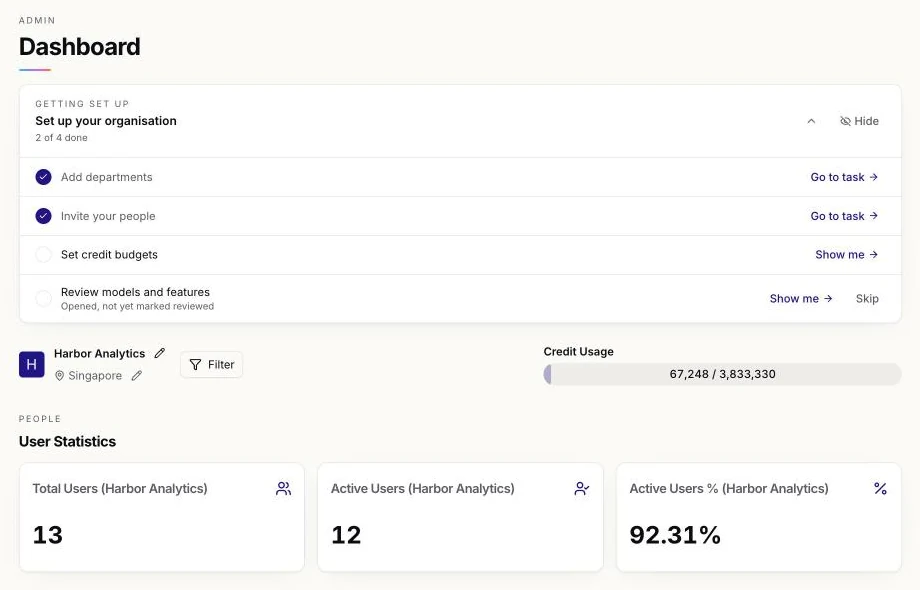
Watch AI+ Pro at work
Set up departments, share one credit pool and start your team from the same project.
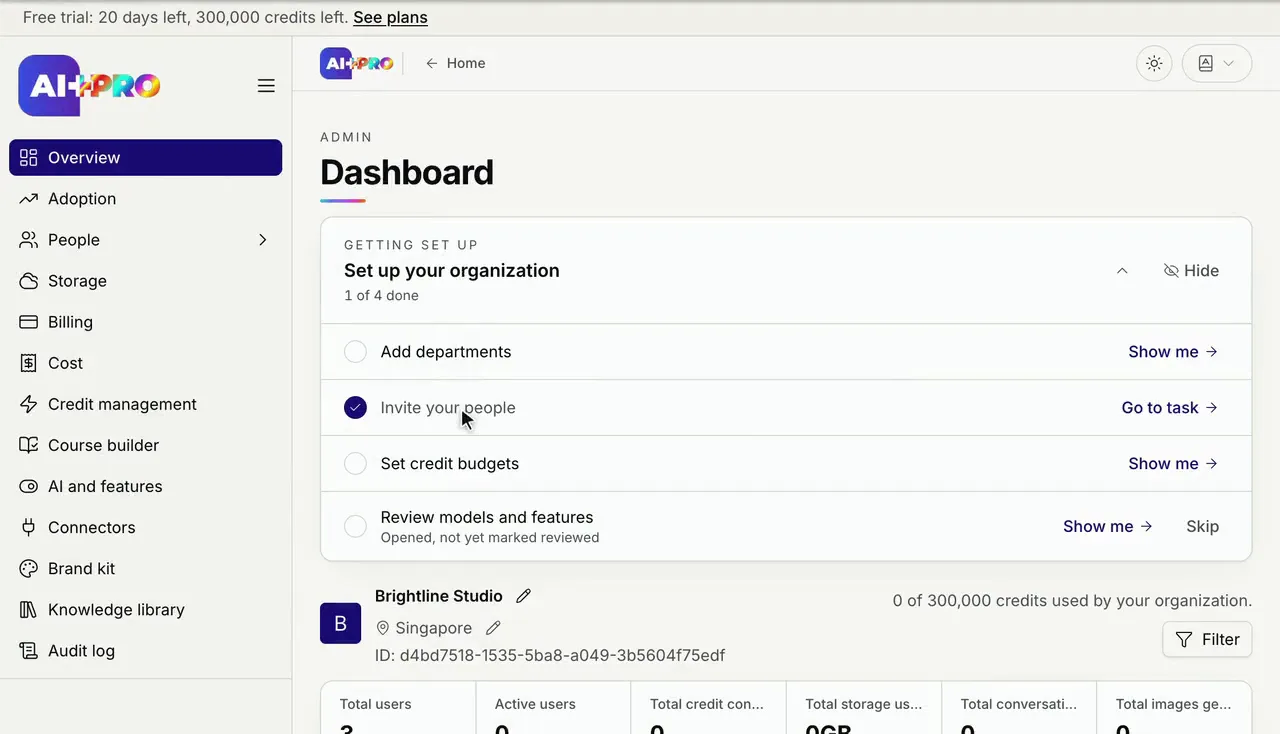
- 30 daysFree team trial, no card, no automatic renewal
- One poolShared credits with a limit for each person
- Audit logYour admins can see who used which model, from Growth
Credits and limits
Control spend before it happens
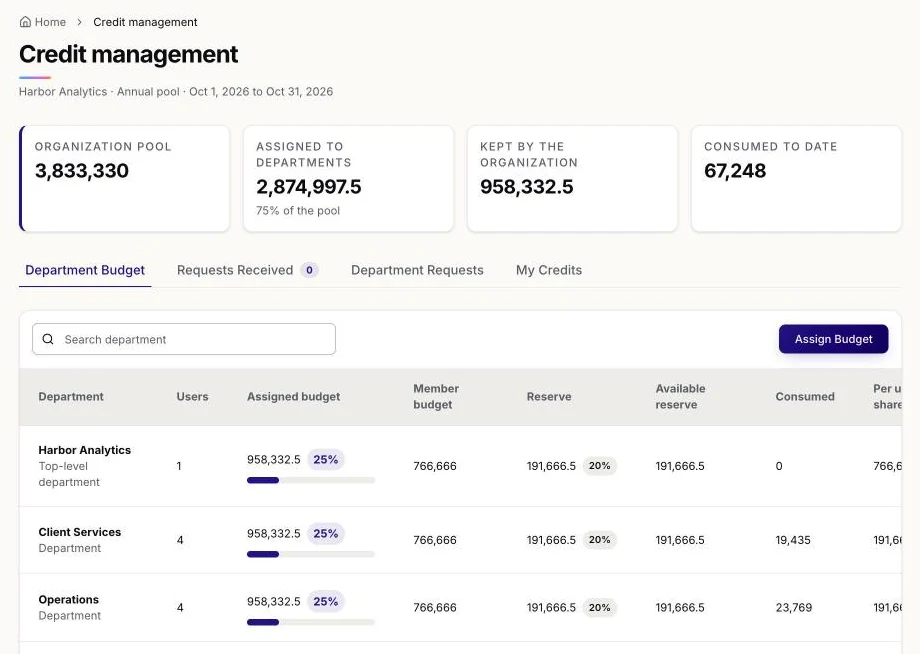
Admins share one credit pool across the team and set a monthly limit for each member.
- See usage by person
- Set a limit per member
- Request a larger plan in the app
Shared assistants and recipes
Build it once. The whole team uses it.
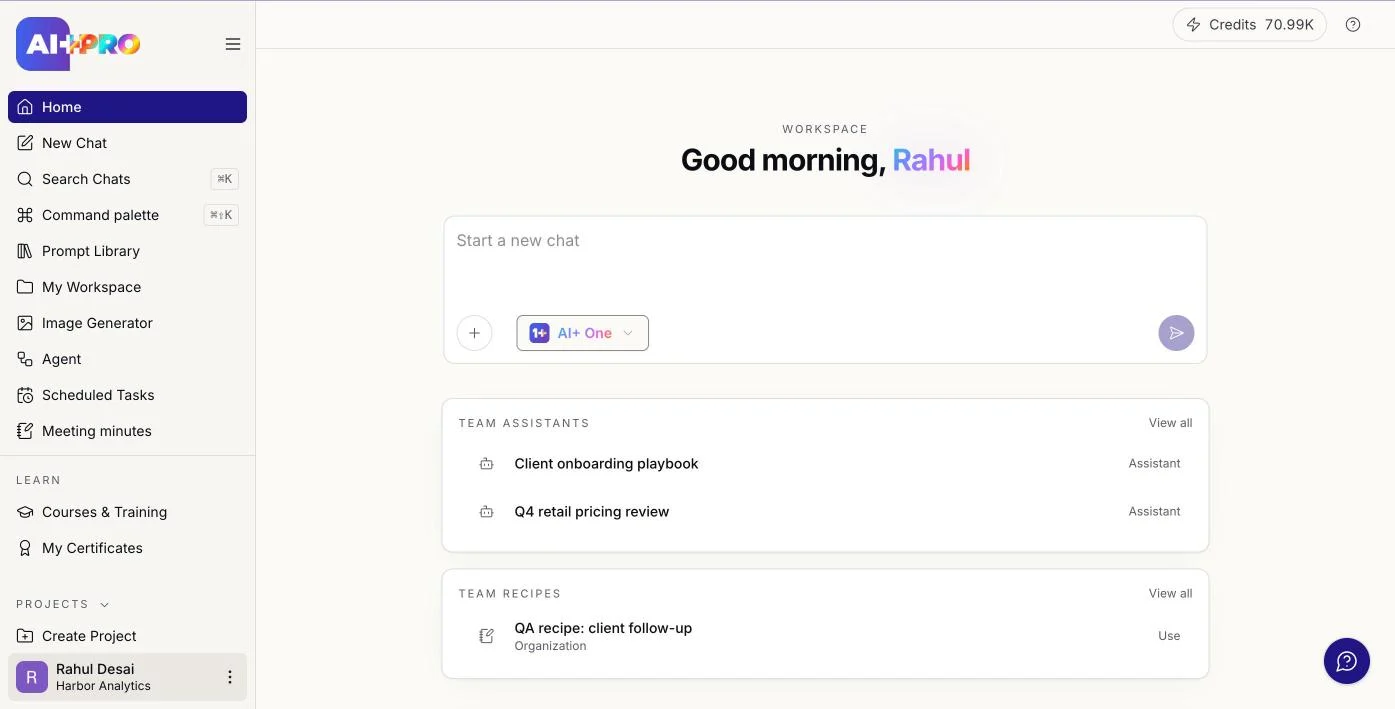
Turn a project into a shared assistant with a pinned model and a credit cap, or save a prompt as a recipe with fields. Call an assistant in any chat with @.
- Recipes and assistants start personal until you publish them
- Team leads publish to their own team
- Usage shows what each assistant costs
Projects and scheduled tasks
Share work and run it on repeat
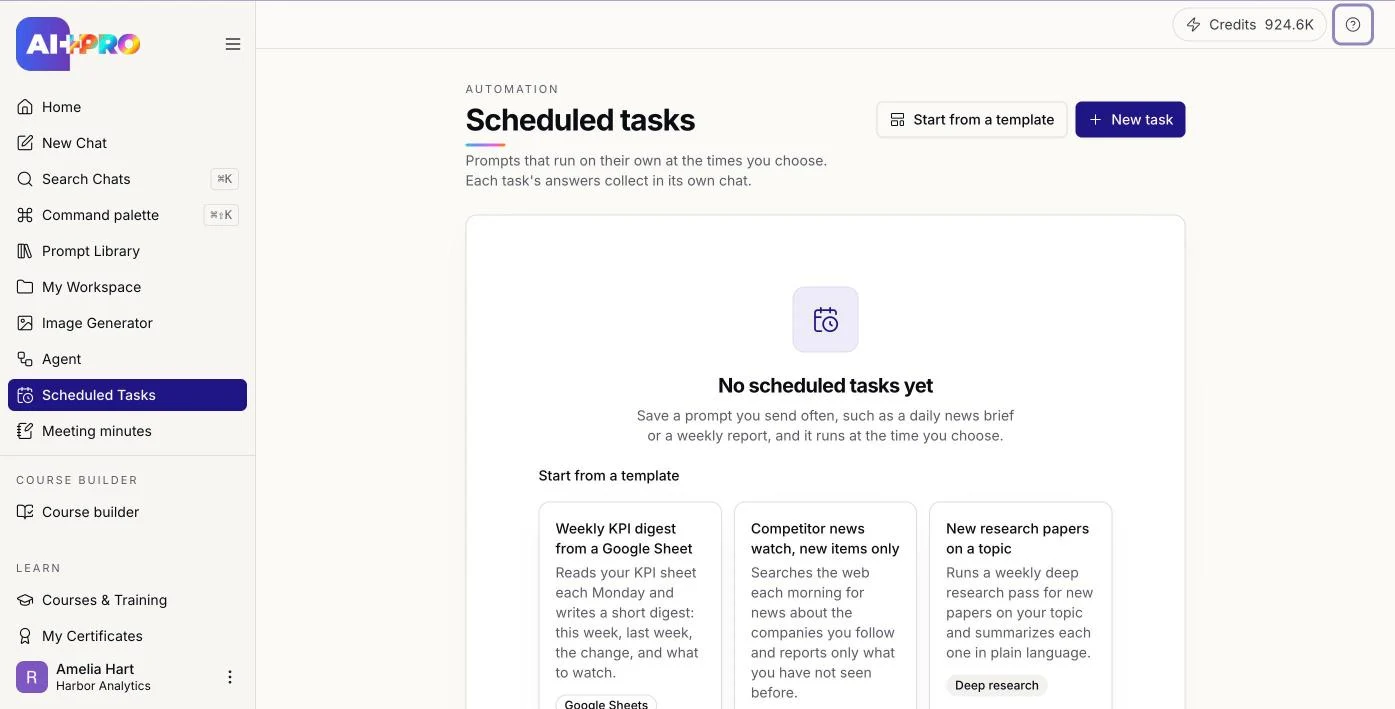
Projects keep the files and chats for one job. A team can own a scheduled task, and its cost lands on that team's budget.
- Share a project with colleagues
- Results go to a recipient list, Telegram, a Sheet or a Drive file
- Run it monthly, quarterly or on the first business day
Connectors
Bring in the tools you already use
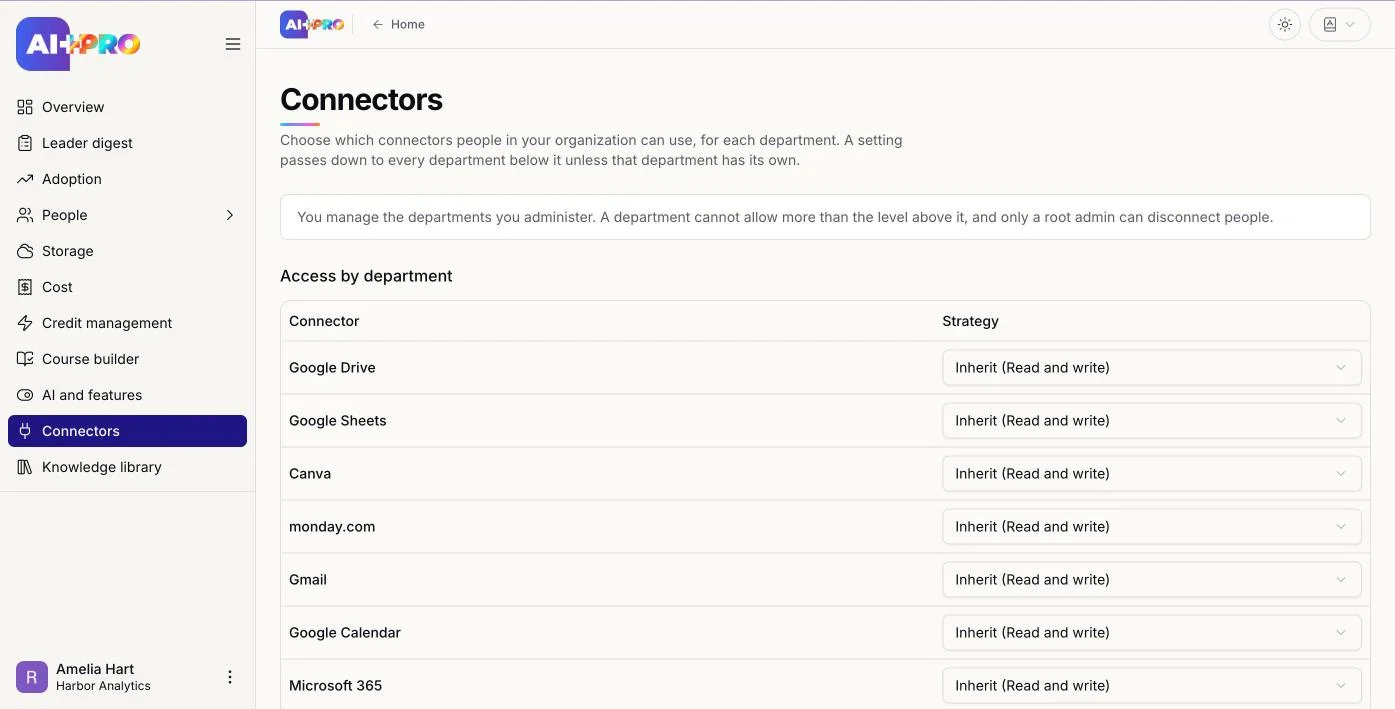
Connect Google Drive, Google Sheets, Gmail, Google Calendar, Microsoft 365, Canva and Monday.com, where your plan and provider setup allow. Your root admin can add your own MCP servers in settings.
- Answers link to the files they used
- Writes ask you first, or run under a standing approval with an expiry
- Disconnecting removes the saved access
Adoption and cost
See who uses it and what it costs
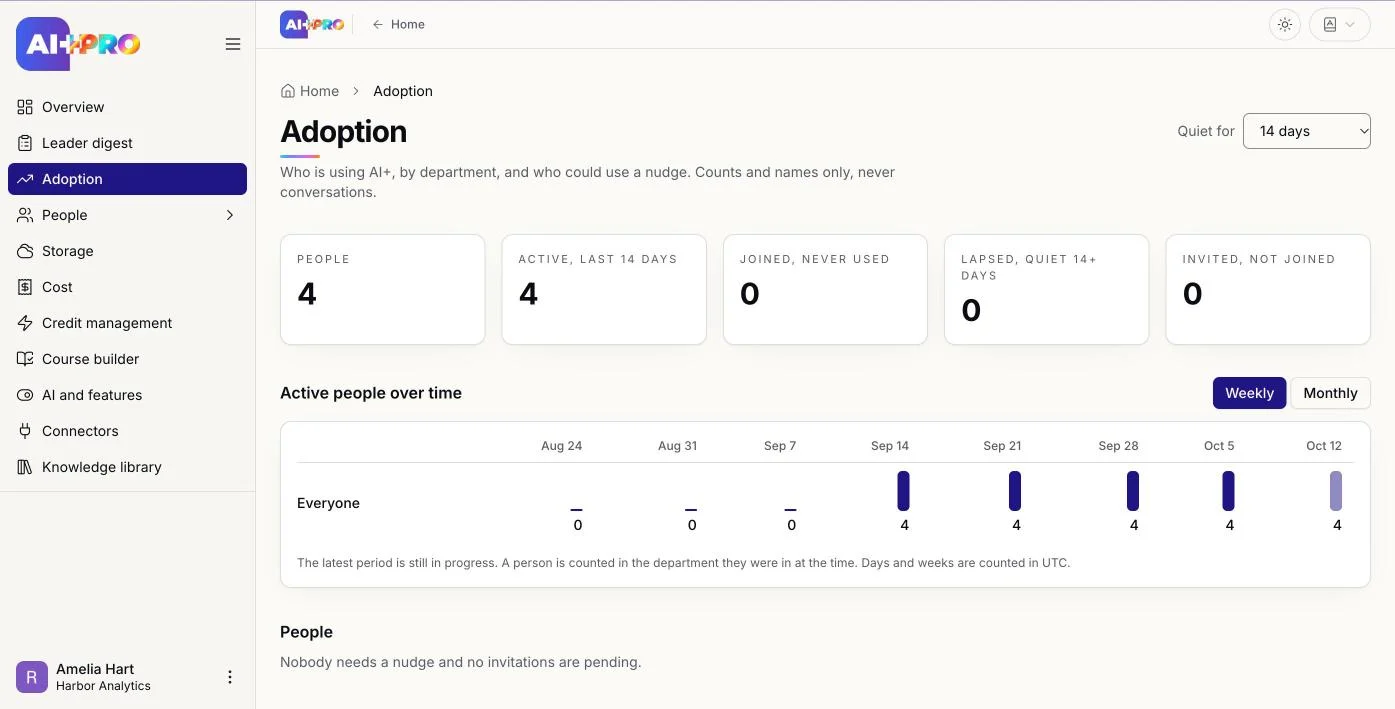
Active people by department over time, and a cost statement for each department. Reports start in the Growth edition.
- Lists of people invited, idle or lapsed, with a one-action nudge
- Department chargeback statements, including people who left
- Budget alerts with a forecast of when credits run out
What members see
Members can see what the organization sees
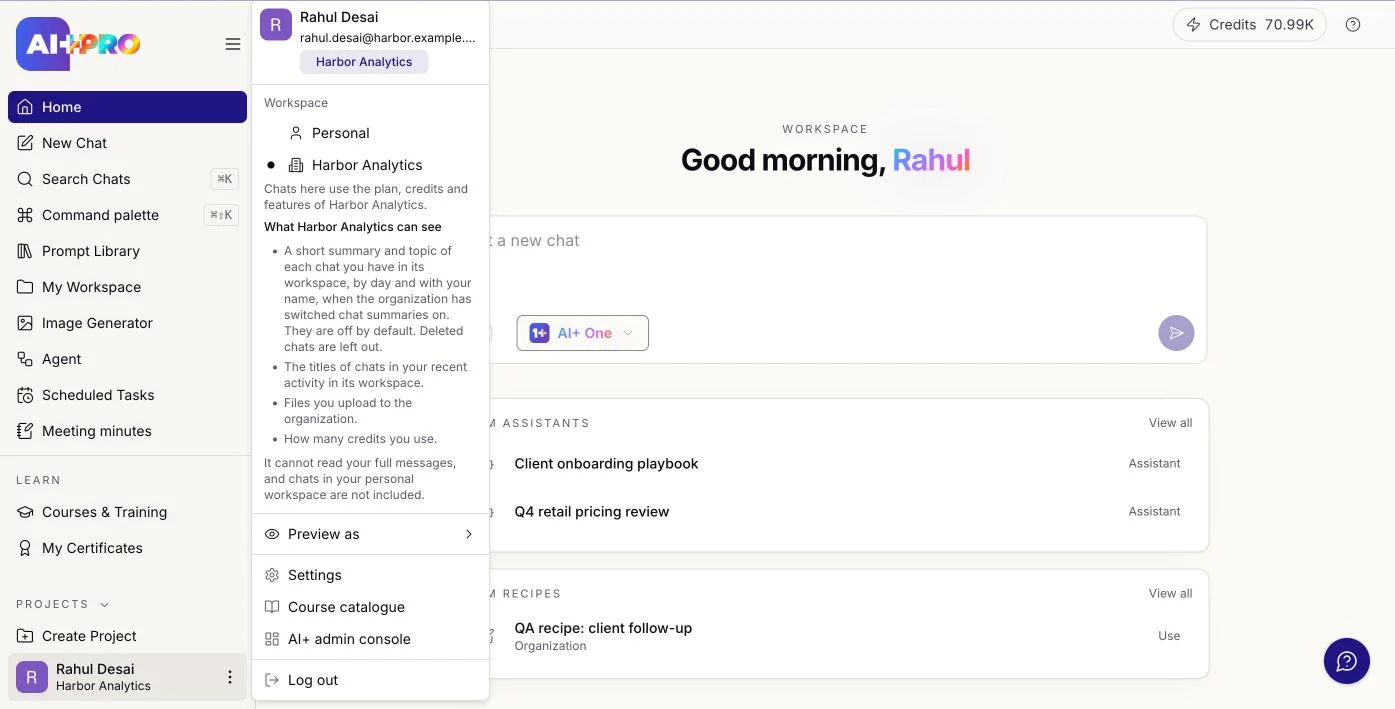
A member opens the workspace menu and reads, in plain language, what their organization can see about their use and what it cannot.
- Chat summaries are off unless the organization switches them on
- Chat titles, uploaded files and credit use are visible to the organization
- Full messages and chats in a personal workspace are not included
From discovery notes to a proposal
Share the sources
Add discovery notes and the service description to a project.
Draft the outline
Ask for needs, scope and assumptions as separate lists.
Review together
The account owner checks context. Delivery checks scope.
Send it
The owner signs off the final wording.
Example workflow for a sales team.
The controls admins expect
- Choose which models the team can use
- Chat sharing limited to members by default
- Audit log of admin changes, from the Growth edition
- AI activity export, without chat content
- Warn, mask or block card numbers and national IDs before a prompt reaches a model
- Fact check and second opinion on any answer, with the cost shown
- Members can see what the organization can see about their use
- Team leads manage their own team without admin rights
AI drafts. People decide. Review output before it leaves the team. Review security
Learn the method. Then use it.



Questions before you begin
What does the team trial include?
300,000 credits for 30 days, once per organization. Invite a small group, pick one workflow and follow usage in the admin area.
How do we buy after the trial?
Choose a plan in the app and send a request. Our team confirms seats, billing and a start date with you.
Can we limit which models people use?
Yes. Admins turn models on or off for the whole organization and set a credit limit for each member.
Who can share assistants and recipes with everyone?
Both start personal. Team leads publish to their own team, department admins to their department, and the organization's root admin to the whole organization.
Prove one workflow in 30 days.
Start a free team trial with 300,000 credits. One trial per organization.
Start your team trial