
For government and public service
AI for public servants, inside your rules.
Keep official work in your organization’s workspace, use zero-retention models and log every AI turn.
Watch AI+ Pro at work
Keep official work in one workspace, use models that keep no copy of your data and log every AI turn.
- 1workspace for all official work
- Zeroretention requested from AI model providers, by default
- EveryAI turn logged by person, time and model
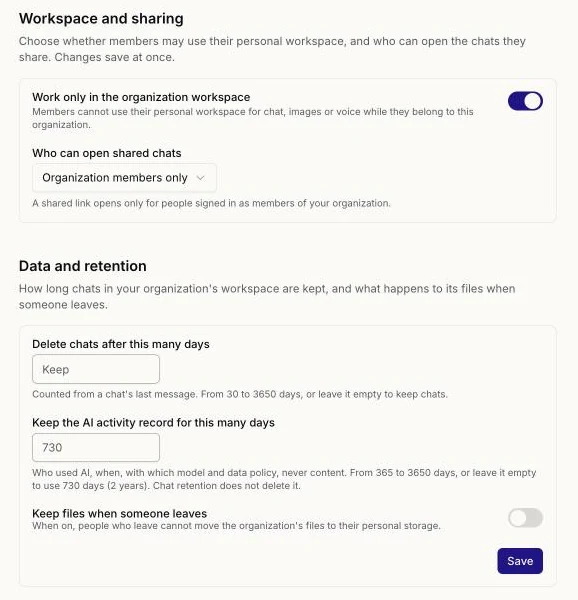
Organization-only workspace
Keep official work in one place
Members work only in your organization’s workspace, so work never drifts into personal accounts.
- On by default for public bodies
- Chat sharing limited to members
- Leavers lose access straight away
Data boundary
Use models that keep nothing
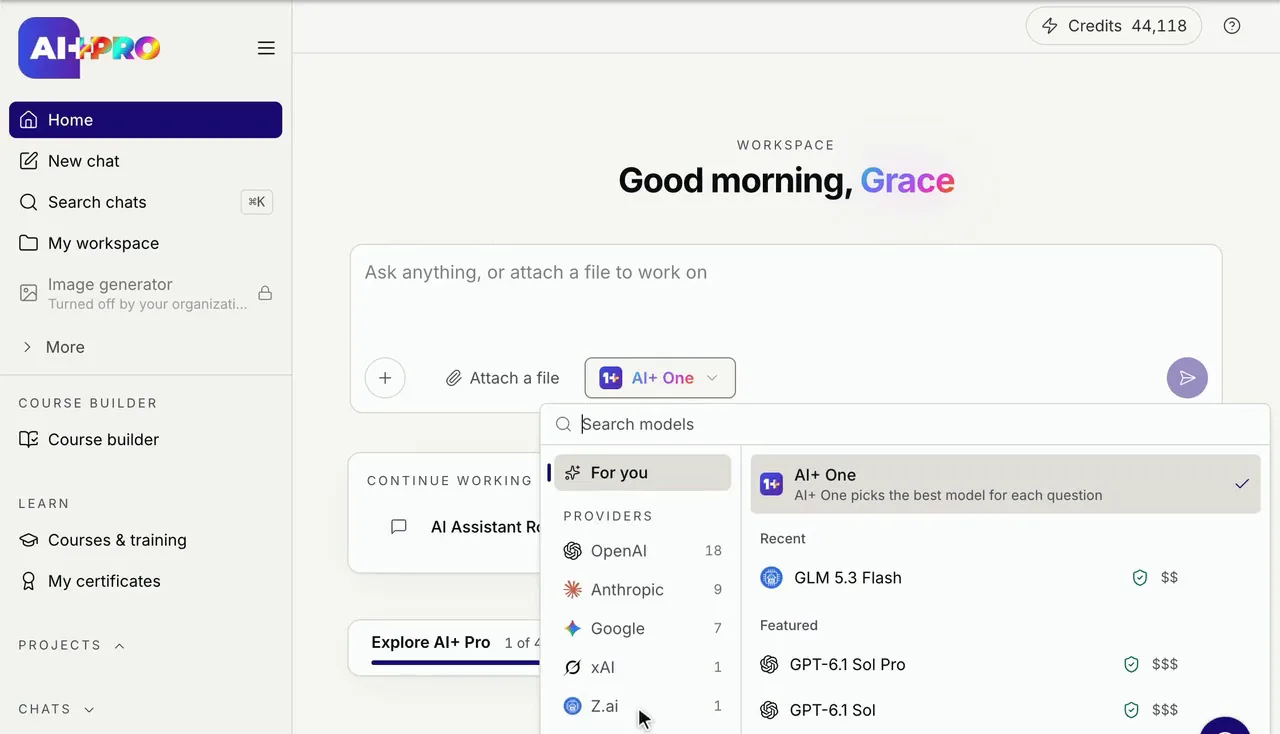
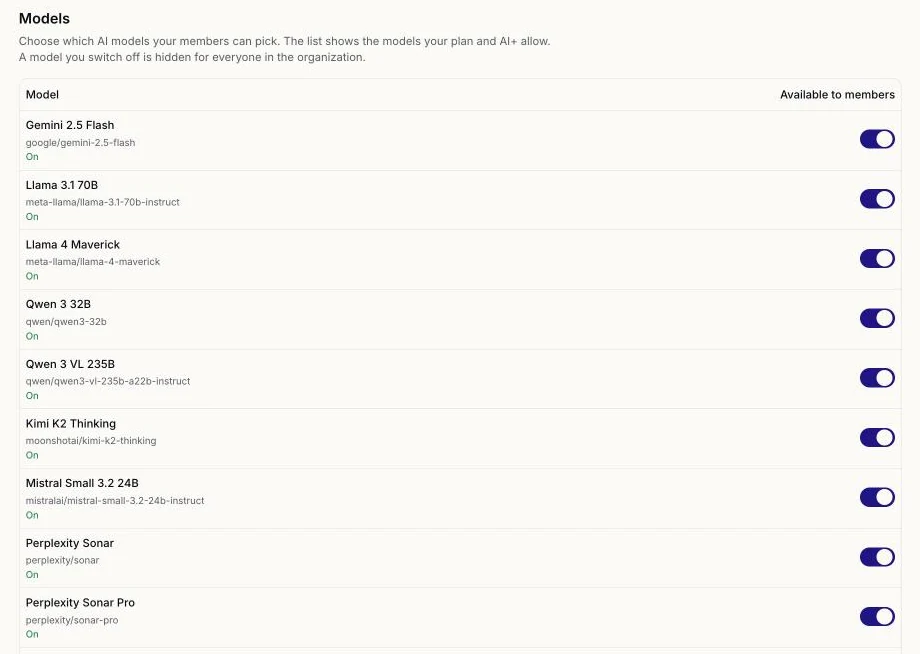
Public bodies use zero-retention models by default, and admins can narrow the list further.
- An allow-list of approved models
- Web search and voice are off while zero retention is on
- Sensitive data warned, masked or blocked before it reaches a model
- Settings you can review at any time
Audit
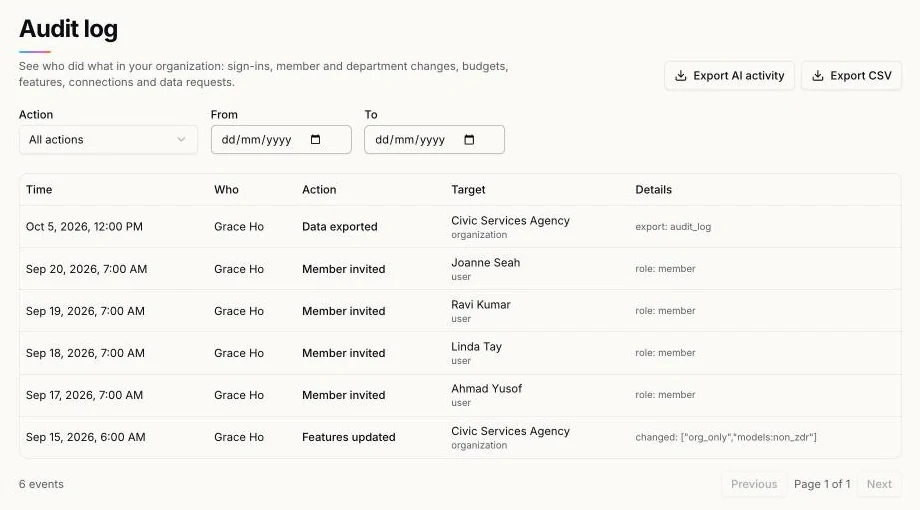
Answer audit questions with evidence
The audit log records admin changes, and the AI activity export lists every turn without its content.
- Export activity as CSV
- AI+ staff changes to your organization are logged
- Single sign-on with SAML, from the Growth edition
Staff transparency
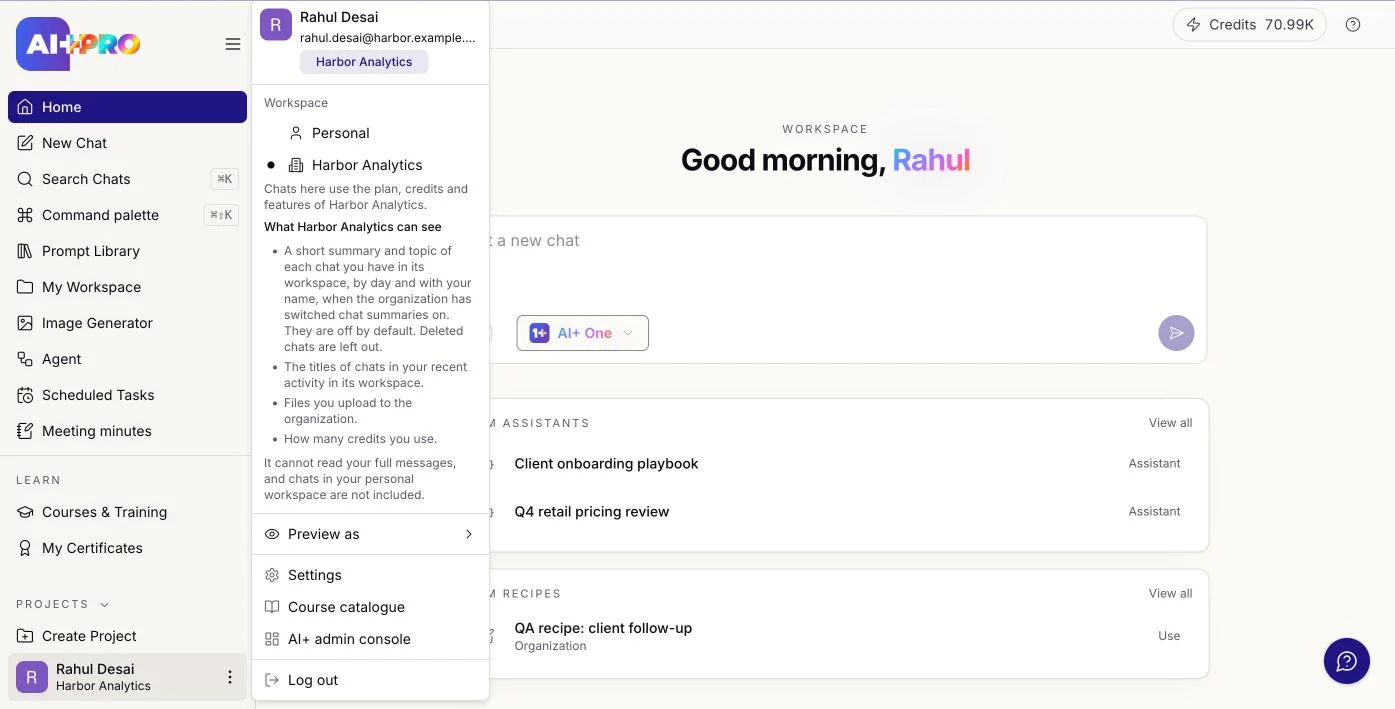
Tell staff what the organization can see
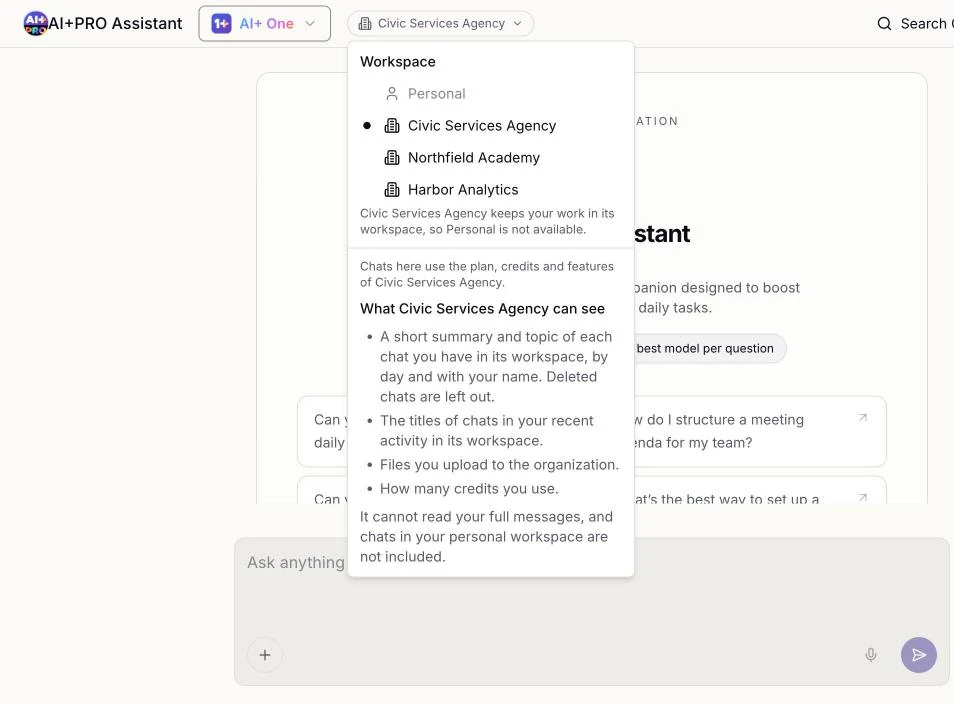
Each member can open the workspace menu and read what the organization can see about their use, and what it cannot.
- A plain-language list in the workspace menu
- Chat summaries are off unless the organization switches them on
- Chats in a personal workspace are not included
From a policy question to a reviewed brief
Gather sources
Add approved policy documents to a project.
Ask for a brief
Request a summary that separates facts from open questions.
Review
A senior officer checks sources and wording.
File it
Save the approved brief with its sources.
Example workflow for a policy officer.
Controls for public bodies
- SAML single sign-on, from the Growth edition
- Audit log and AI activity export
- Logged AI+ staff changes
- Zero-retention models by default
AI+ Pro is not hosted only in Singapore. Our privacy policy lists each provider and where it processes data. Review deployment options
Questions before you begin
Where is our data processed?
AI+ Pro uses cloud providers in more than one region and is not hosted only in Singapore. Our privacy policy lists each provider and region.
Can we see who used AI, and how?
Yes. The AI activity export lists each turn by person, time and model, without the content. Admin changes are on the audit log.
Can we stop sensitive data reaching a model?
Admins can warn, mask or block card numbers, IBANs, national ID numbers and patterns you define before a prompt is sent, or route those prompts to a zero-retention model instead. The guard matches patterns, so it does not catch everything.
Do you support single sign-on?
Yes, with SAML, from the Growth edition. Our team sets up the connection with your identity provider. It does not place people in departments or provision accounts automatically.
Plan a pilot with one department.
Talk to us about one workflow, your reviewers and your approval process.
Talk to us about government