
For companies
One governed AI workspace for every department.
Give every role the same working tool, with departments, a shared credit pool and the controls your IT and security teams ask for.
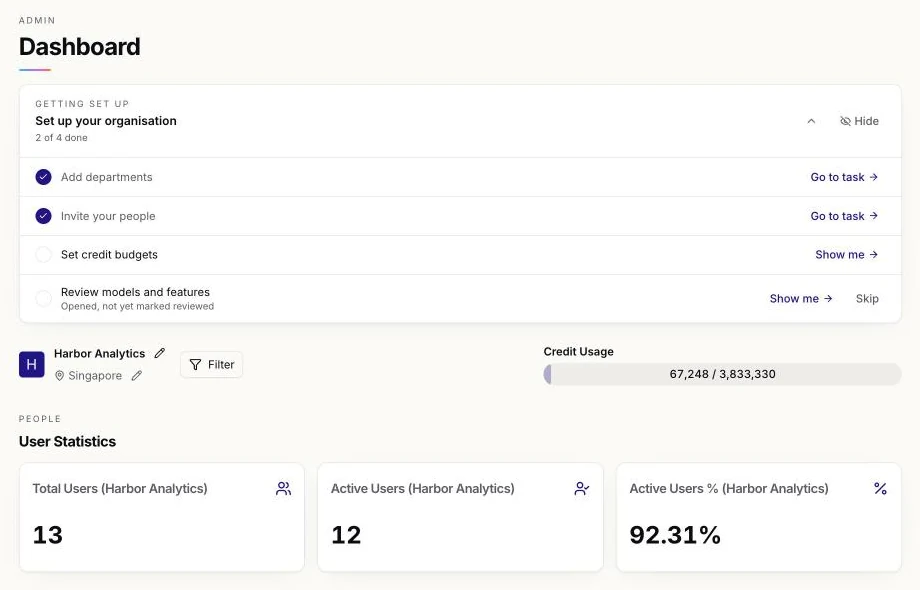
Watch AI+ Pro at work
See departments, a shared credit pool and the controls your IT and security teams ask for in one workspace.
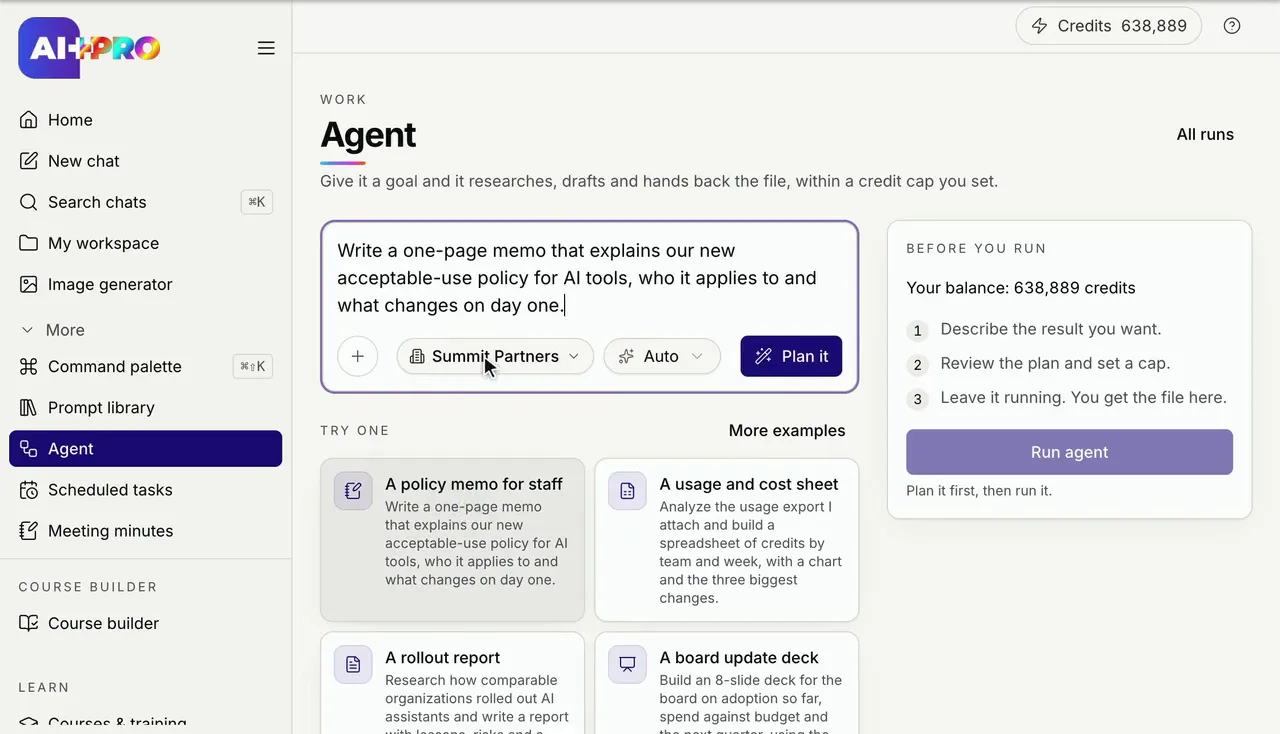
- All modelsIncluded in every paid organization edition
- One poolShared credits with limits for each person and department
- 21Languages in the app
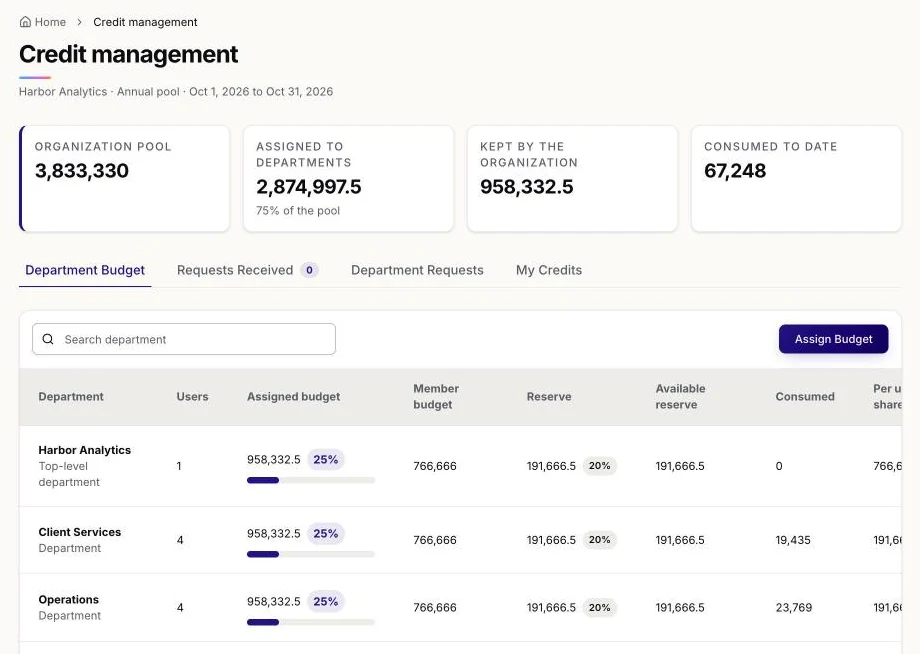
Departments and credits
Give each department its own limits
Build your org chart as departments, share one credit pool, and set allocations and limits for each person and department.
- Departments follow your org chart
- See usage by person
- Set limits for each member and department
Access and audit
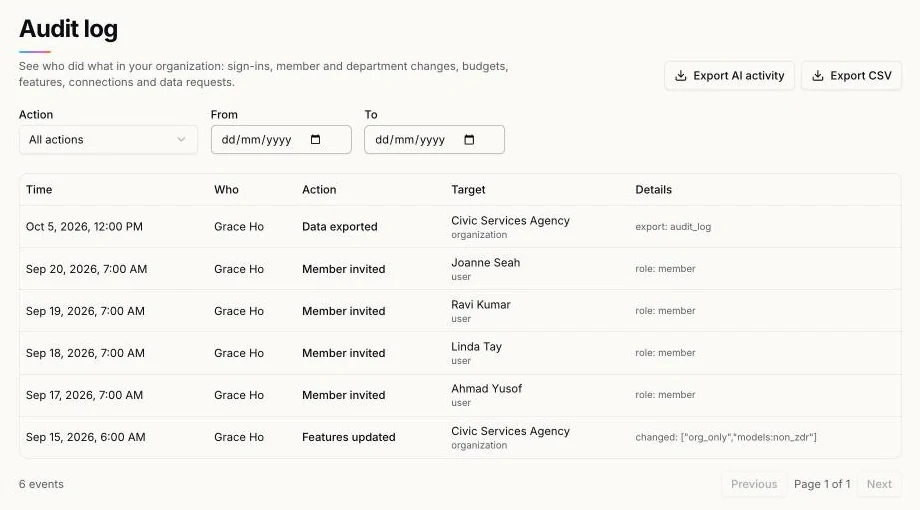
Show who did what
Sign in with SAML single sign-on. The audit log records admin changes and exports as CSV, and a separate log lists access by AI+ staff.
- SAML single sign-on, from the Growth edition
- Audit log with CSV export, from the Growth edition
- A log of AI+ staff access to your organization
Models and data settings
Decide which models and what is kept
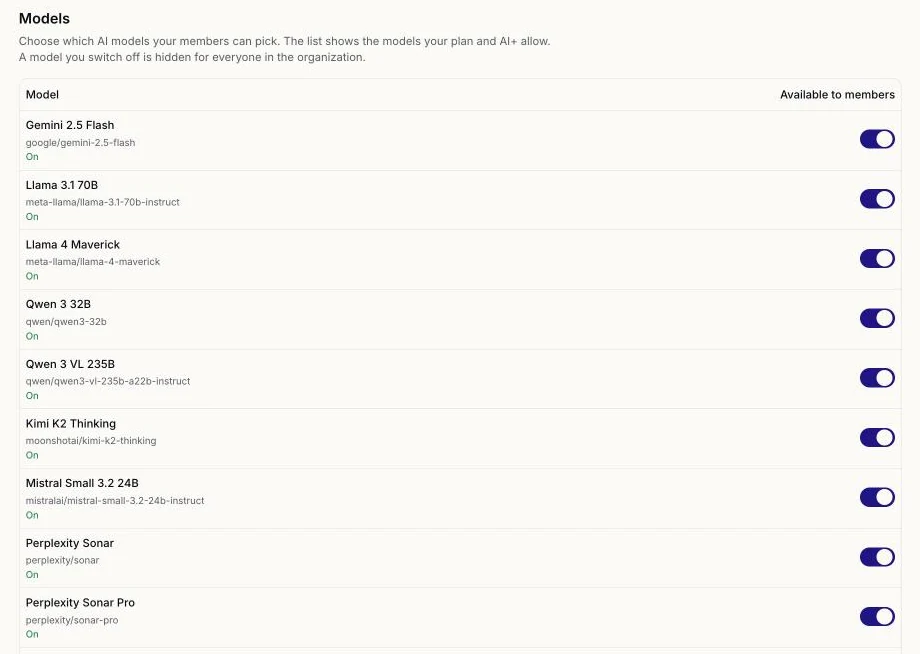
Admins choose which models people can use, and paid organization editions include all models. Data settings cover how long chats and recordings are kept.
- Turn models on or off for the whole organization
- Set chat retention
- Set recording retention
Connectors
Connect the tools your company runs on
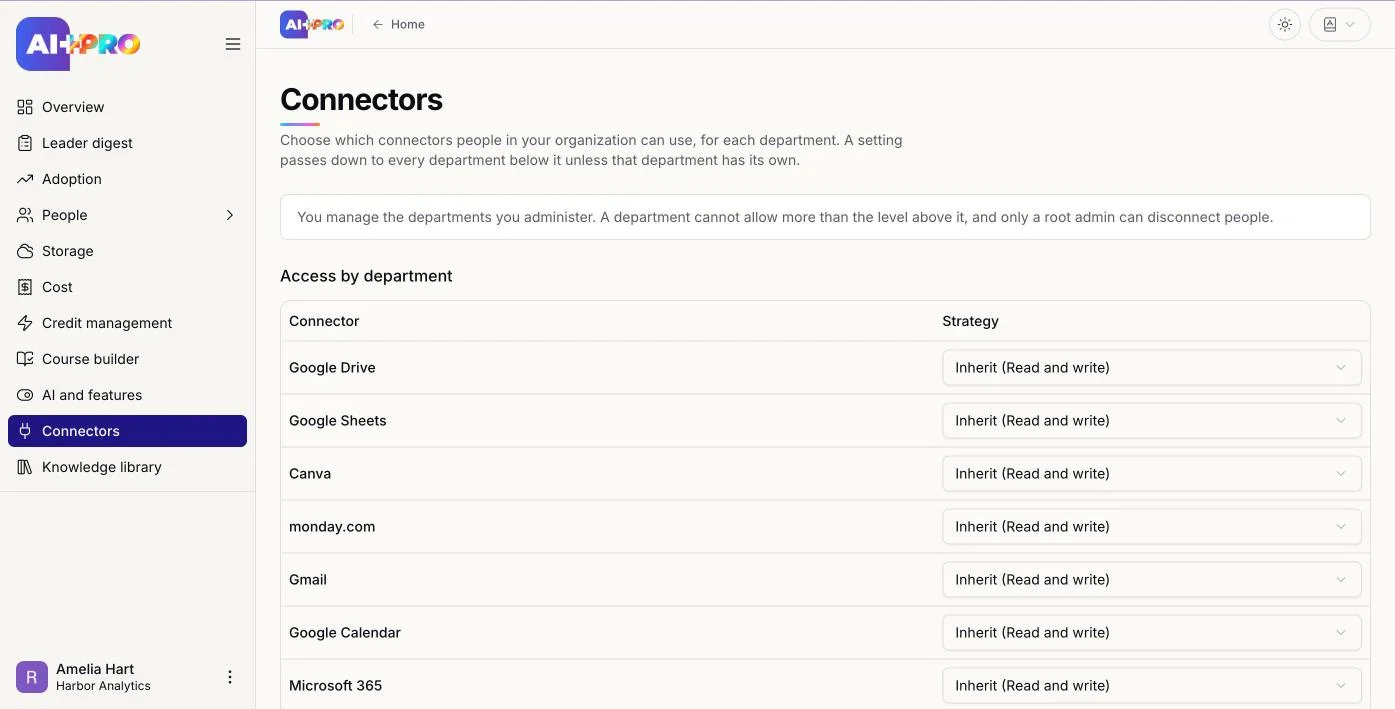
Connect Google Drive, Google Sheets, Google Calendar, Gmail, Microsoft 365, Canva and monday.com, where your plan and provider setup allow. Admins control which connectors people can use and can add the organization's own MCP servers.
- Admins control which connectors are on
- Add your organization's own MCP servers
- Disconnecting removes the saved access
Everyday work
Put AI into the work every role does
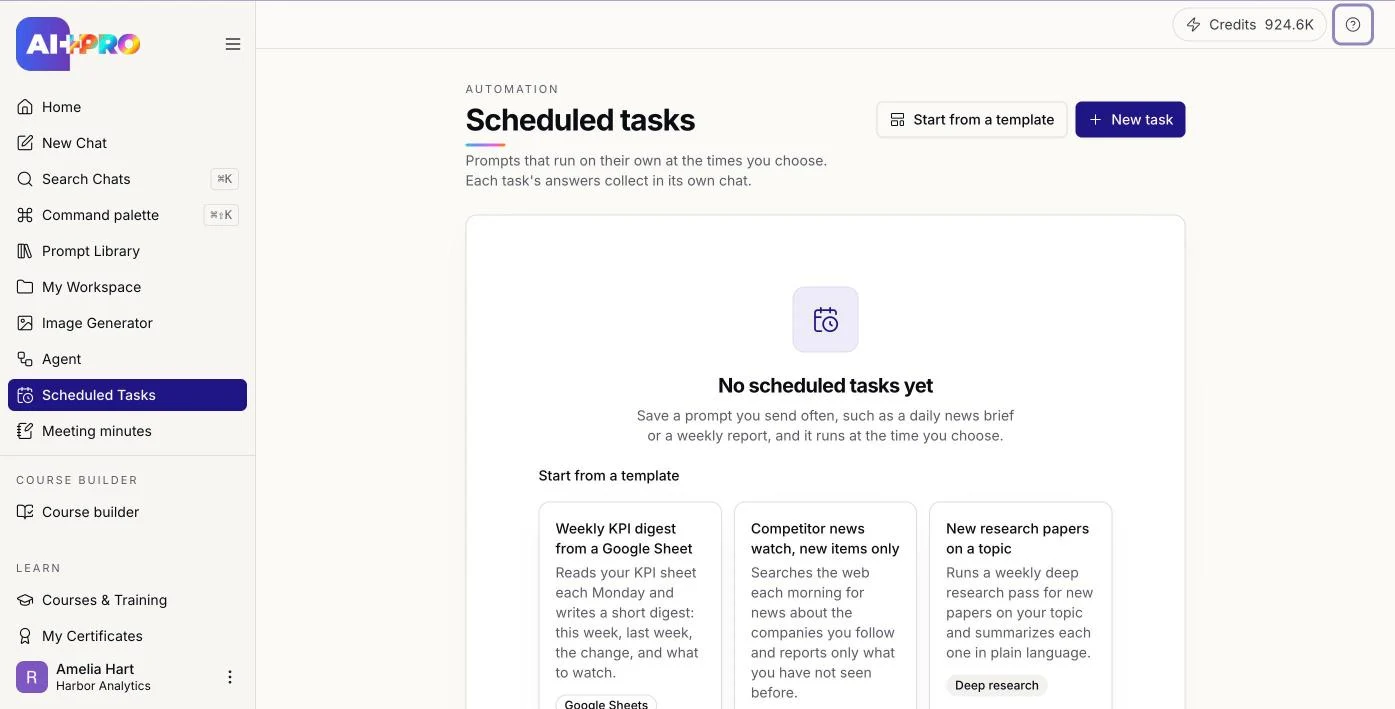
Members hand multi-step jobs to the Agent, keep files and chats together in projects, and run repeat work as scheduled tasks. Meeting minutes need no bot in the call.
- The Agent for multi-step tasks
- Projects and scheduled tasks
- Meeting minutes without a bot
From one department to the whole company
Start with one department
Pick a team with a clear workflow and set its credit limits.
Connect sign-on and tools
Set up SAML single sign-on and turn on the connectors that department needs.
Review the evidence
Read usage by person and the audit log with the department head and IT.
Add the next departments
Repeat the setup for each department that follows.
Example rollout for a company.
Controls for company IT and security
- SAML single sign-on, from the Growth edition
- Audit log with CSV export, from the Growth edition
- A log of AI+ staff access to your organization
- Chat retention and recording retention settings
- Admin control over connectors and your own MCP servers
- Credit limits for each member and department
AI+ Pro is not hosted only in Singapore. Our privacy policy lists each provider and where it processes data. On-premise or private cloud is available on request. Review deployment options
Learn the method. Then use it.



Questions before you begin
Which editions are there?
Team, Growth and Enterprise. The pricing page shows the current prices.
Does every paid edition include all models?
Yes. Every paid organization edition includes all models, and admins choose which ones people can use.
Where is our data processed?
AI+ Pro uses cloud providers in more than one region and is not hosted only in Singapore. Our privacy policy lists each provider and region. For a residency requirement, we can scope a deployment in your own cloud account and an agreed region.
Can we run AI+ Pro on-premise or in a private cloud?
It is available on request. Talk to us about your requirements and we will scope what fits.
Do you support single sign-on?
Yes, with SAML, from the Growth edition. Our team sets up the connection with your identity provider. It does not place people in departments or provision accounts automatically.
Plan a rollout with one department.
Tell us your departments, your sign-on provider and the tools you use, and we will scope the right edition with you.
Talk to us about your company