For schools, universities and libraries
Schools and universities
Set AI rules for each class or course and keep teachers and lecturers in charge. Schools and universities have different features, so each gets its own section below.
For schools and libraries
AI for schools, with teachers in charge.
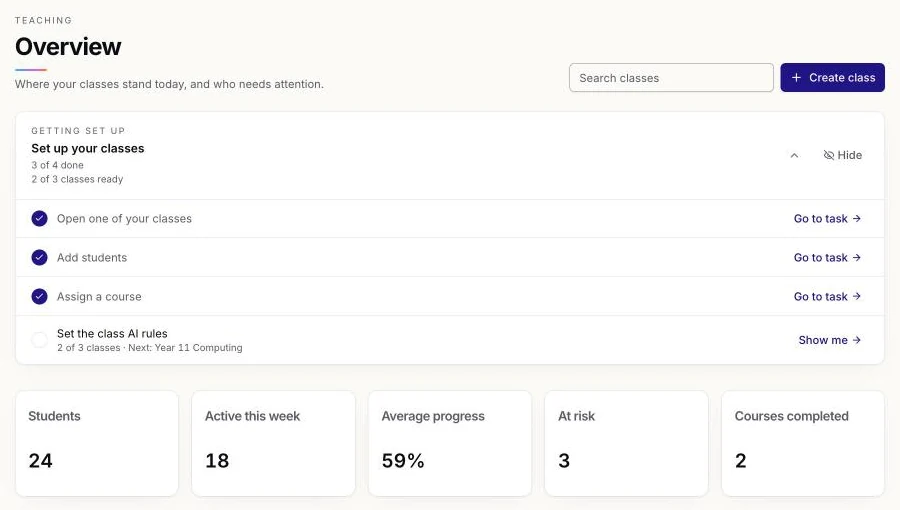
Set rules for each class, get safeguarding alerts and teach AI literacy with ready-made courses.
Watch AI+ Pro at work
Set rules for each class, follow safeguarding alerts and see AI use as counts while chats stay private.
- Eachstudent message screened by an automated risk check
- 7 yearsclosed safeguarding records kept by default
- Zeroretention requested from AI model providers, by default
Class AI rules
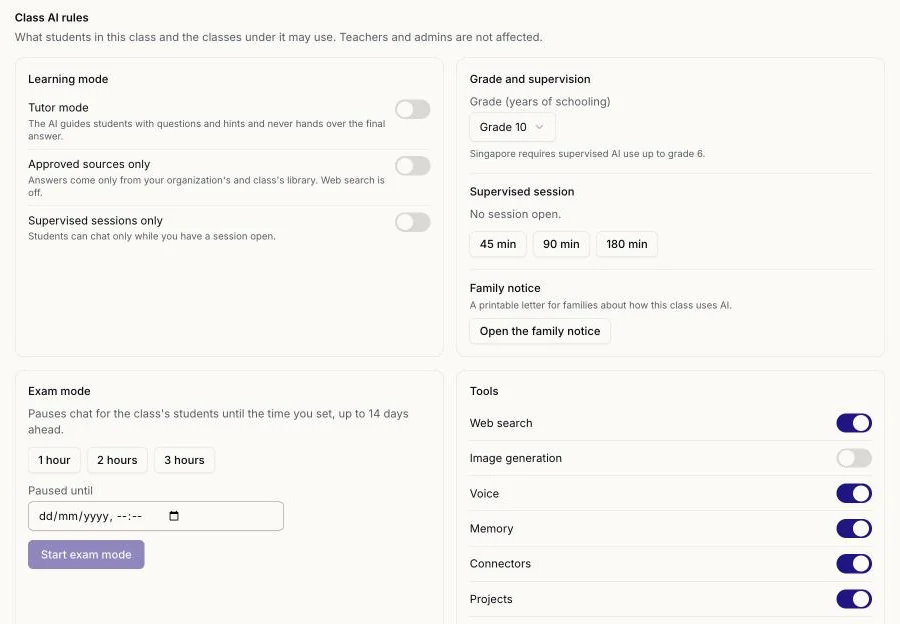
Set the rules for each class
Choose which models and tools students can use, class by class.
- Pause AI for a class at any time
- Students join with a code you approve
- Rules follow the class, not the device
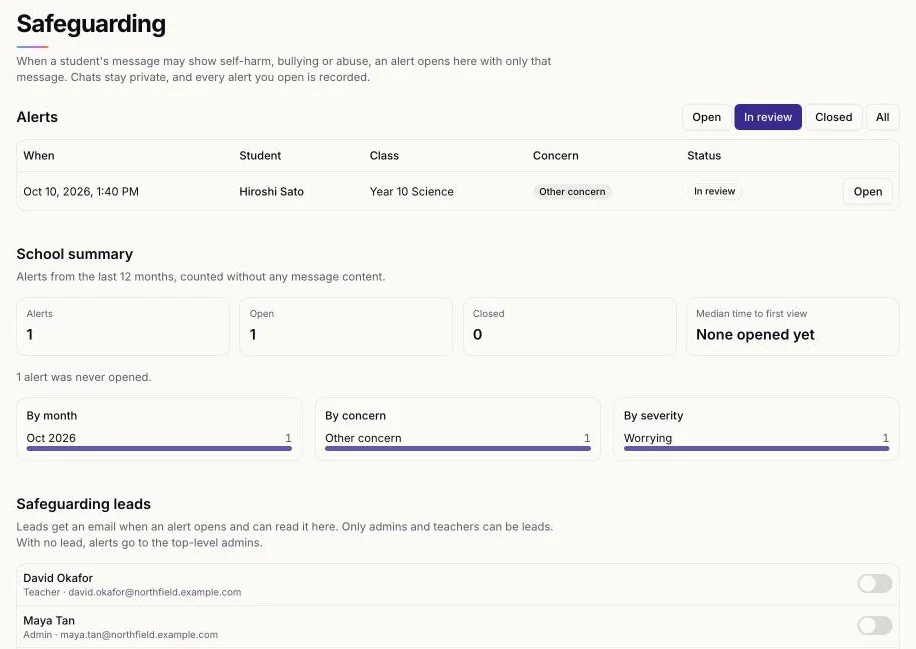
Safeguarding
Alerts reach your safeguarding lead
When a student writes something worrying, the lead gets an alert and the student sees where to find help.
- Urgent alerts sent by email
- Case notes with an assignee
- Retention period set by your school
Teaching console
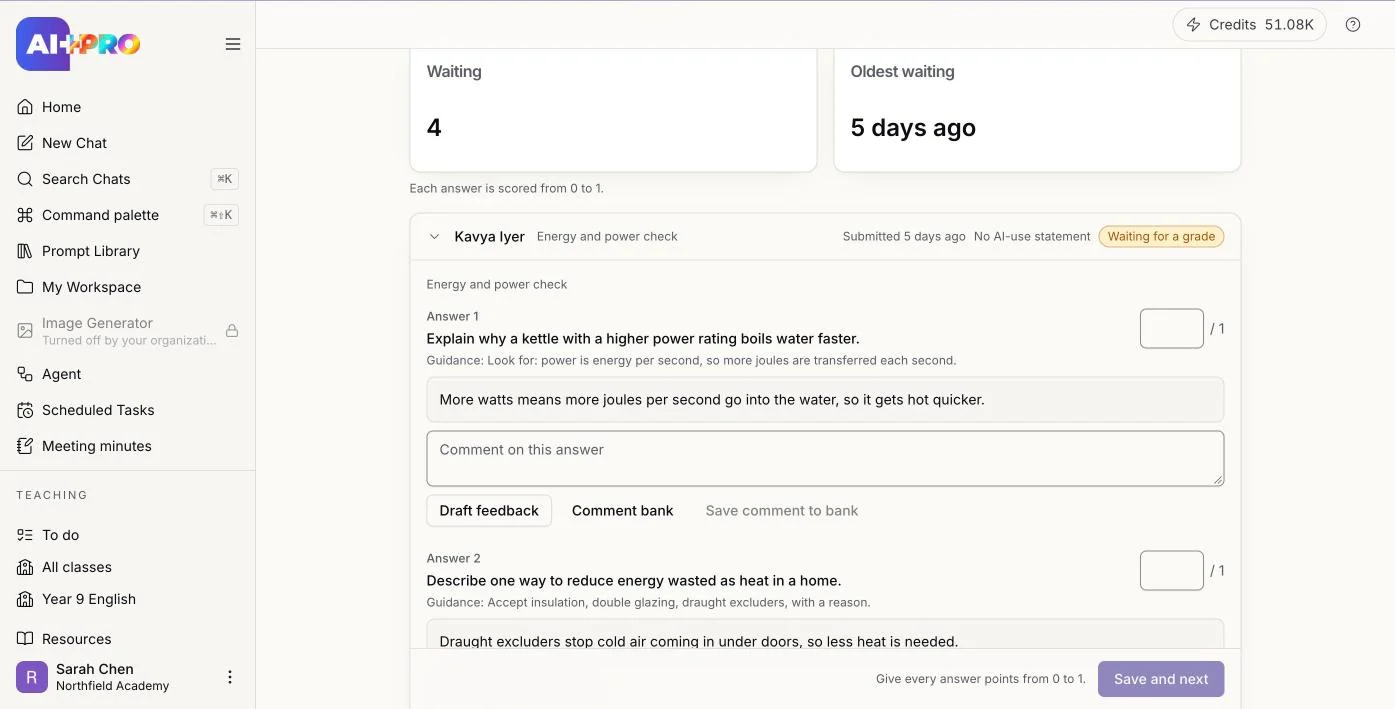
Assign courses and grade in one place
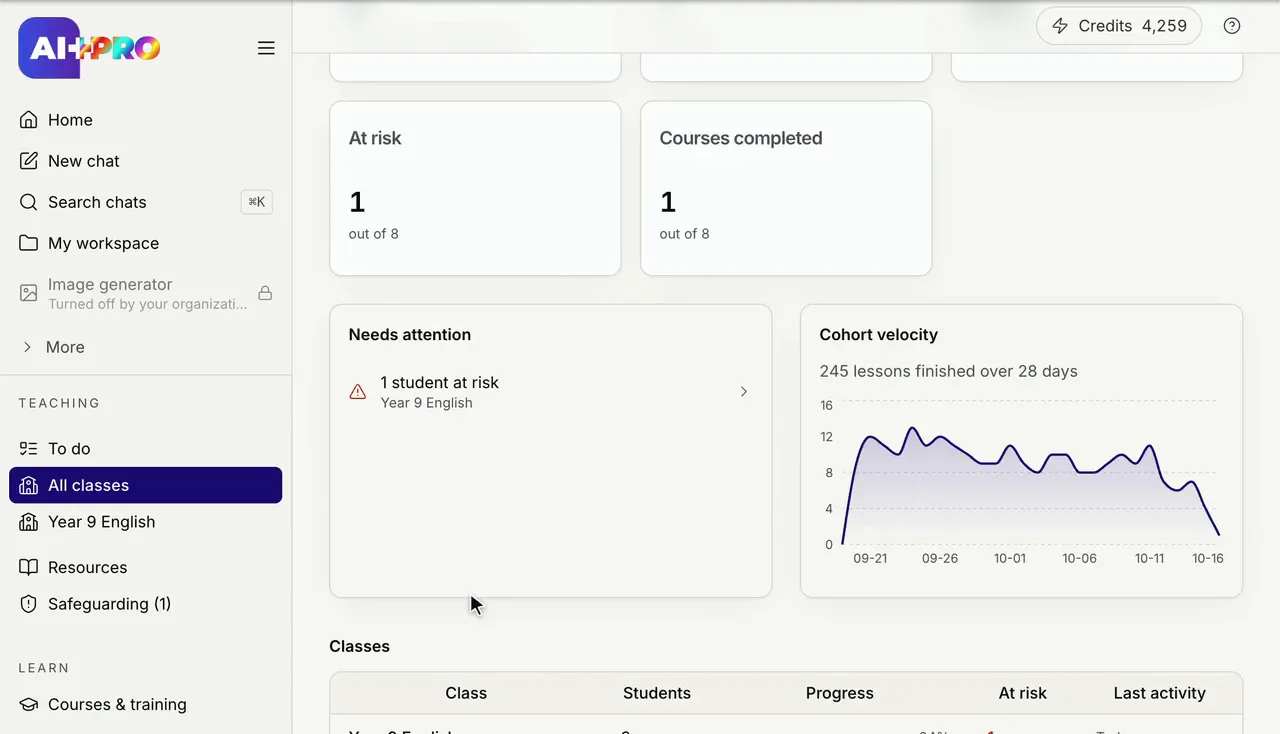
Assign courses to a class, follow progress and mark written answers from one inbox.
- Lesson-by-lesson progress and video watch time for each student
- One grading inbox, with feedback drafts from your rubric. You enter the score
- An AI-use level for each assignment, enforced by the server
- Extra time in exams for students who need it
Class Copilot
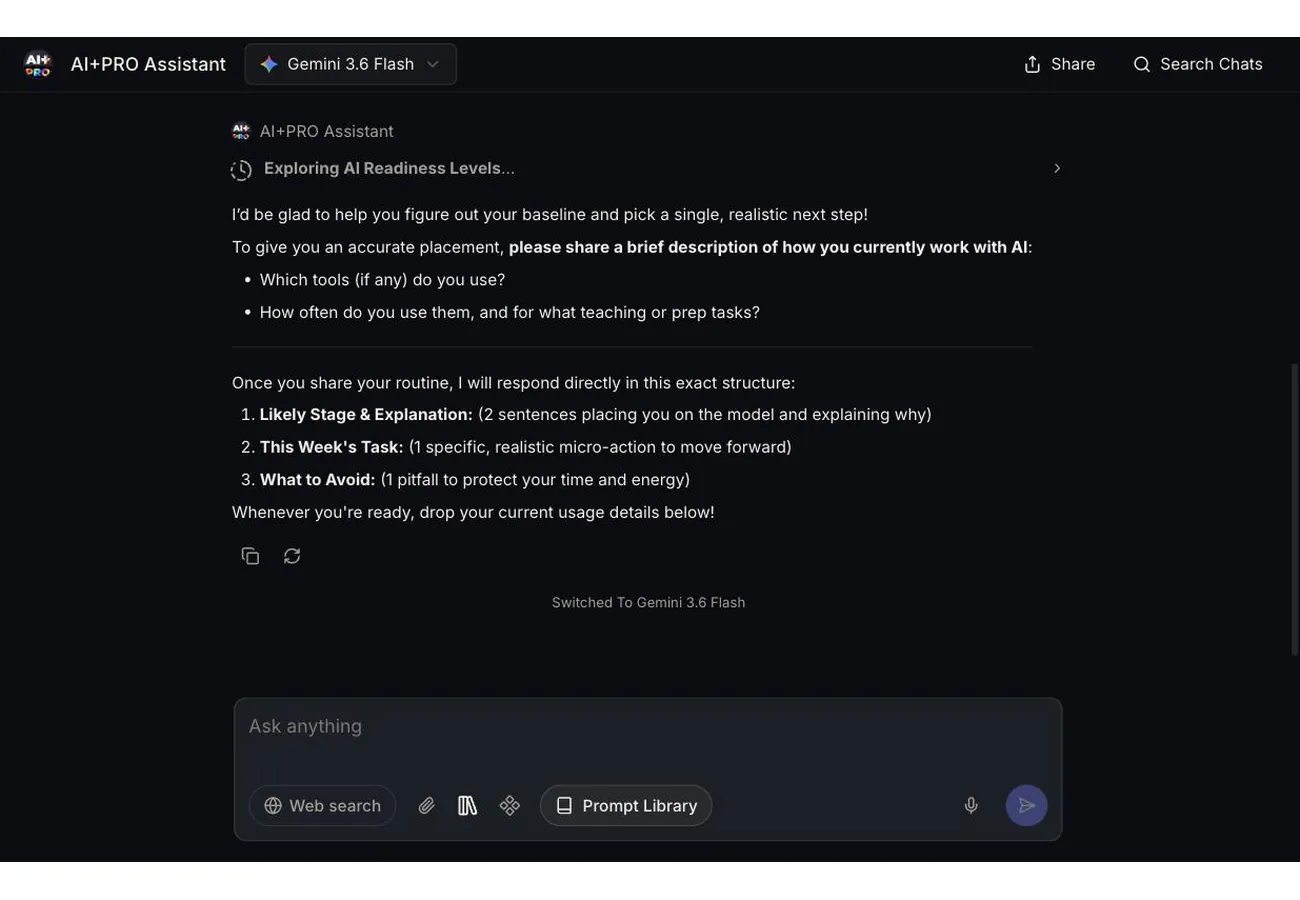
Ask about your class in plain language
Ask in chat who has not finished Unit 3 and get names and counts back. It never shows what students wrote.
- Teachers only, and read only
- Student data goes only to zero-retention models
- Scheduled reports go to teachers and school admins only
Families and study
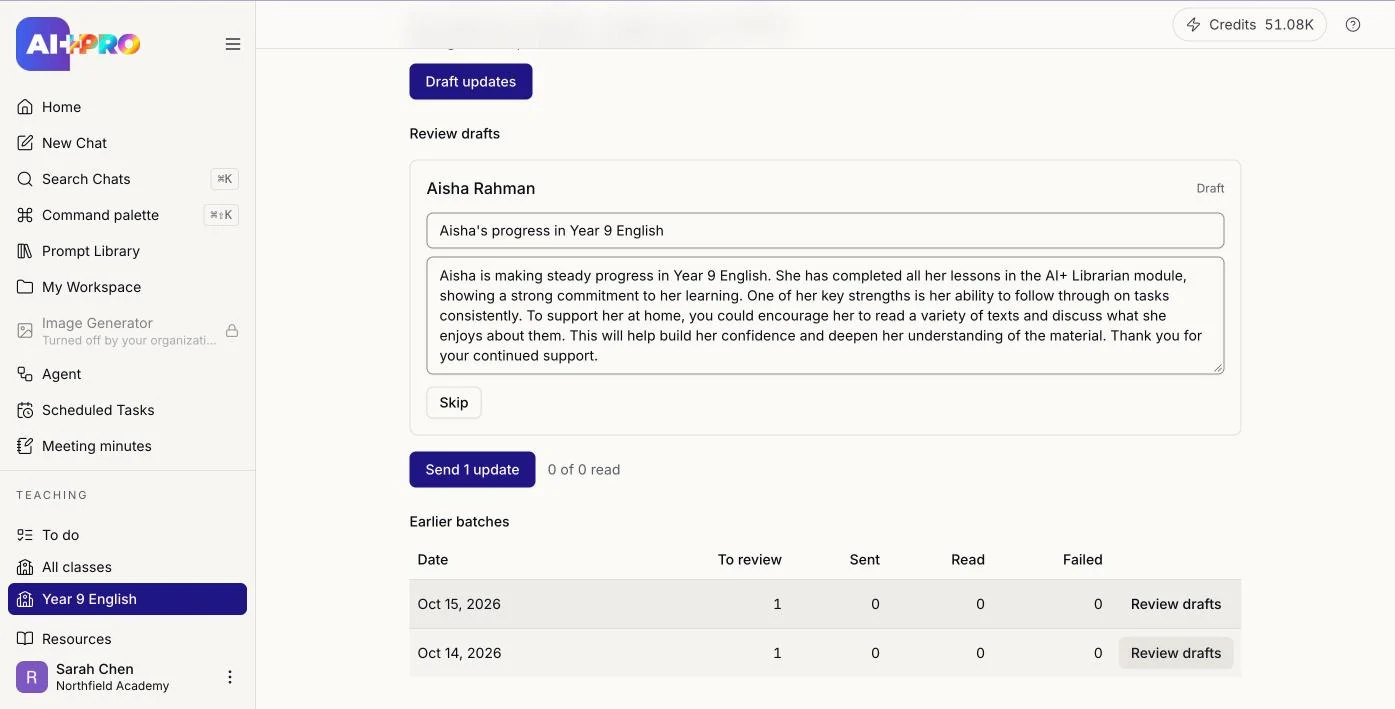
Keep families informed. Help students revise.
Draft one update for each student in the family's language and review them in one list. Students build flashcards and practice quizzes from their lessons.
- Batch send with a one-tap acknowledgement
- Study Kit: flashcards, practice quiz and spaced review
- Study Kit follows the class AI rules
AI use in assignments
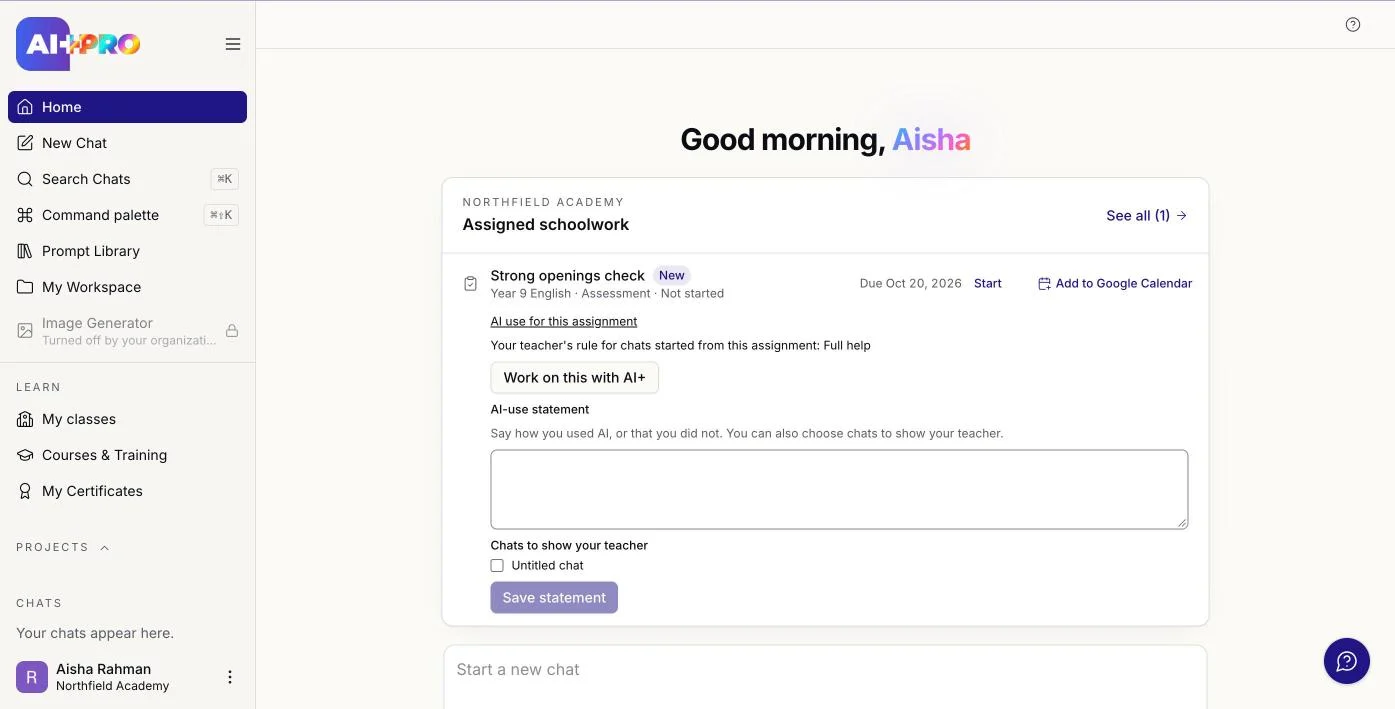
Students say how they used AI
The assignment shows the student the teacher's AI-use rule. Students write an AI-use statement and choose which chats to show their teacher.
- The teacher's rule appears beside the assignment on the student's home screen
- Students say how they used AI, or that they did not
- Students choose the chats to show their teacher
From first login to a supported lesson
Create classes
Add your classes and invite teachers.
Set the rules
Choose models and tools for each class.
Assign a course
Give students an AI literacy course with a due date.
Stay informed
Leads get alerts. Teachers see progress.
Example setup for a secondary school.
Built for school data
- Zero-retention AI models by default
- Students stay in the school workspace
- Named guardian consent for each student
- School exports never include safeguarding flags
AI can be wrong. Teach students to check answers, and keep teachers in the loop. In zero-retention workspaces, web search, deep research and voice are off. Review deployment options
Questions before you begin
What happens when a student writes something worrying?
The student sees where to find support, and your safeguarding lead gets an alert. Urgent alerts also arrive by email. An automated check screens each message and can miss things, so it supports your staff and does not replace them.
Do AI providers keep student data?
Schools use zero-retention models by default. Every request asks the provider not to keep or train on the content, and models that cannot honour that are not offered. Our privacy policy lists every provider.
Do families need to give consent?
Where your rules require it, a student can chat only after a teacher records named guardian consent.
Can teachers see whether students used AI?
You set an AI-use level for each assignment, and the server enforces it. Students can attach an AI-use statement and the chats they choose. AI+ Pro does not run an AI-writing detector.
For universities
AI for universities, with academic integrity.
Set AI rules for each course, grade with feedback drafts from your rubric and keep student data under your control. Students use every model, and zero retention is an option.
- Zeroretention is an option, for every AI request in your university
- SSOwith SAML, from the Growth edition
- Eachfaculty and department gets its own budget
Course AI rules
Set the AI rules for each course
Choose which models and tools students can use in each course, and set an AI-use level for each assignment. Students say how they used AI.
- Pause AI, or limit models and tools, course by course
- An AI-use level for each assignment, enforced by the server
- Students write an AI-use statement and choose which chats to show their lecturer
- AI+ Pro does not run an AI-writing detector
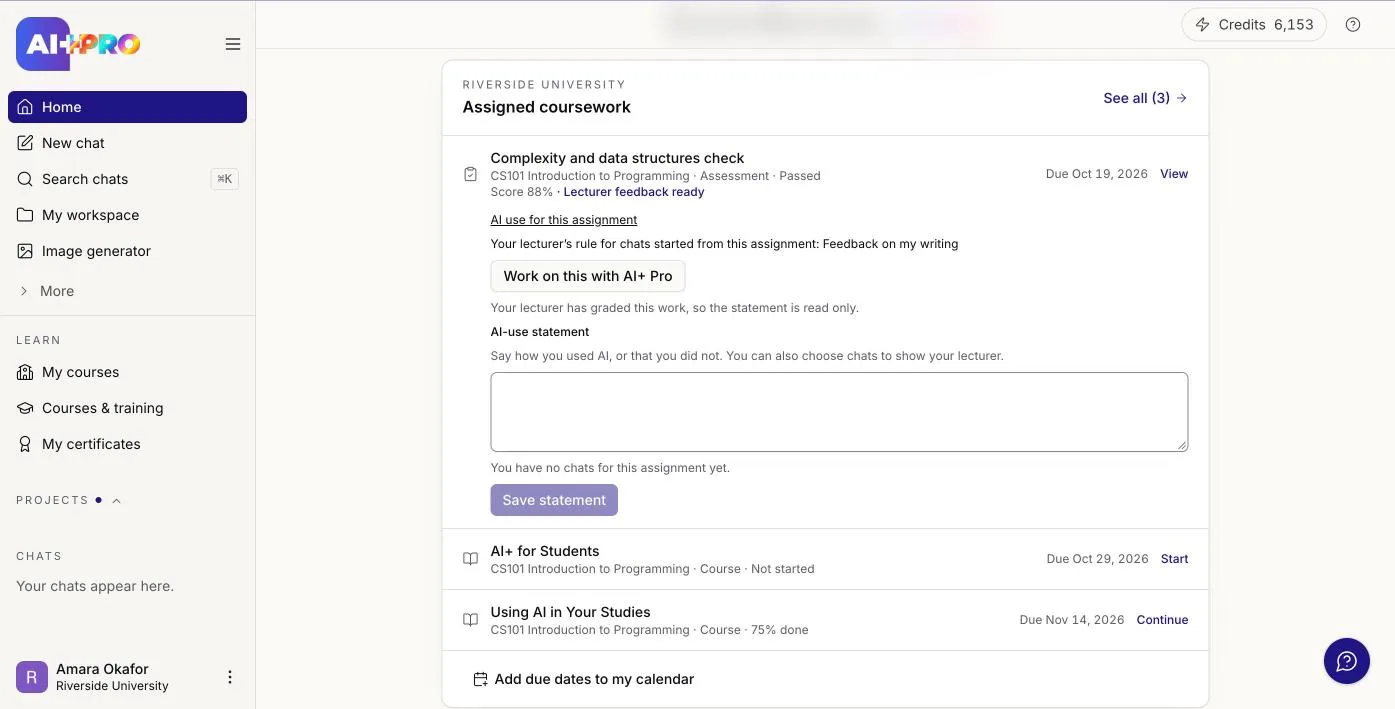
Grading inbox
Grade written work from one inbox
Written answers from your courses arrive in one inbox. AI drafts feedback against your rubric, and you enter the score.
- Feedback drafts follow your own rubric
- The lecturer enters every score
- Written answers from all your courses in one place
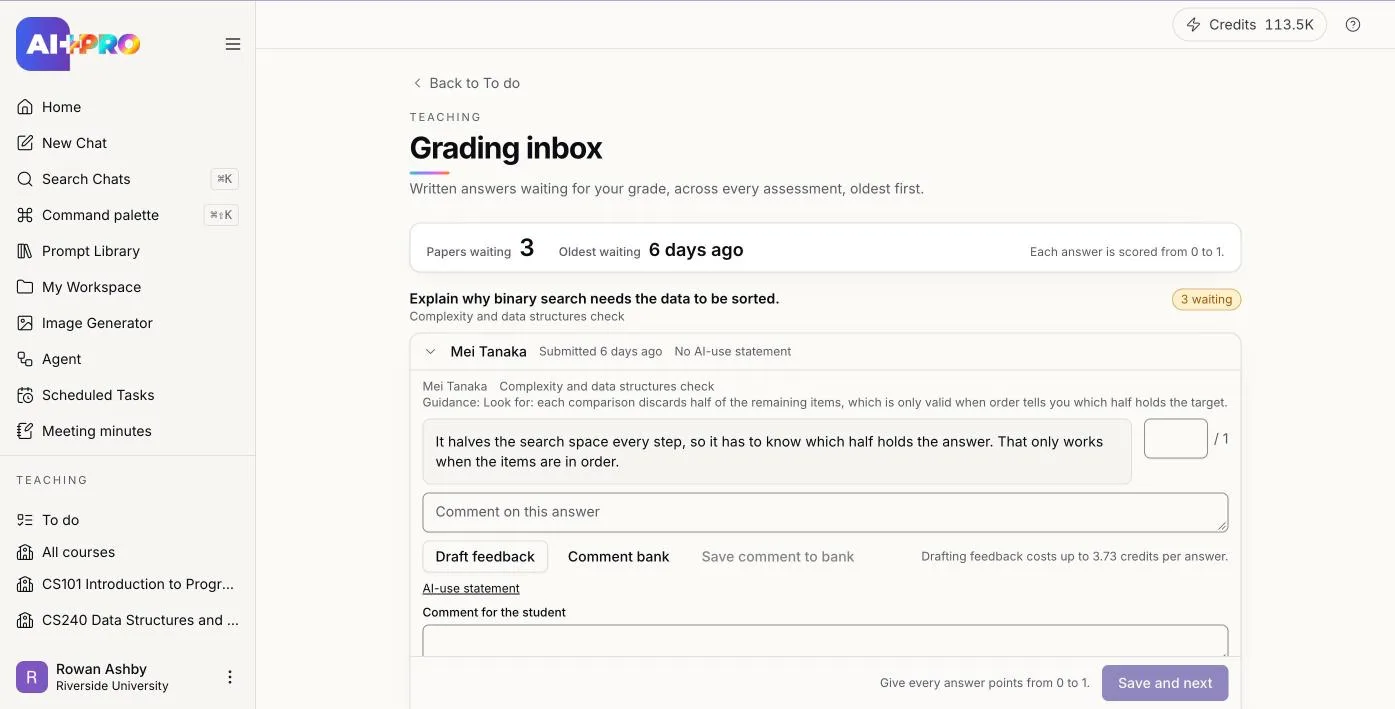
Course builder
Build courses from your own documents
Upload lecture notes, readings or a syllabus and get a course draft. You review and edit the draft, then assign the course to your students.
- Start from the documents you already have
- Review and edit the draft before you assign it
- Follow progress for each student, lesson by lesson
Budgets
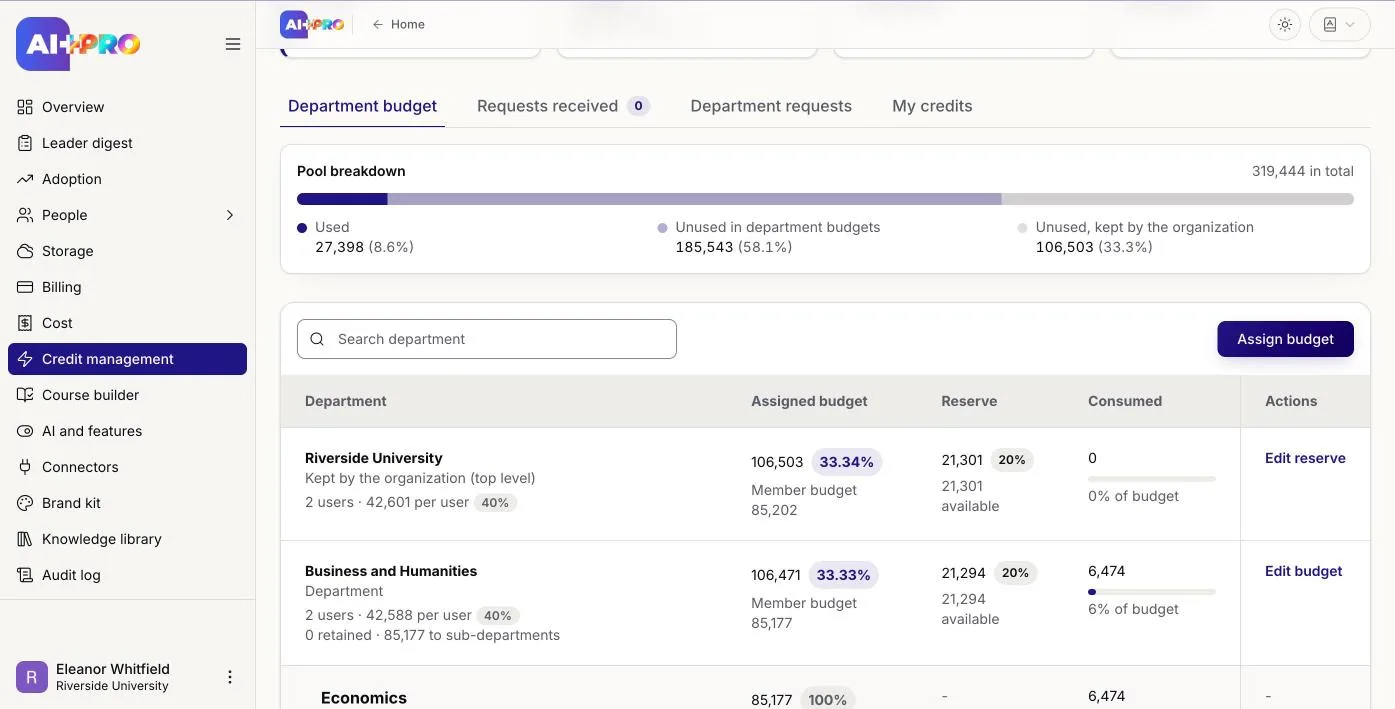
Give each faculty and department a budget
Set a credit budget for each faculty and department, and see what each one spent. Finance can use the figures to charge costs back.
- Budgets for faculties and departments
- Spend by department, ready for chargeback
- A credit limit for each member
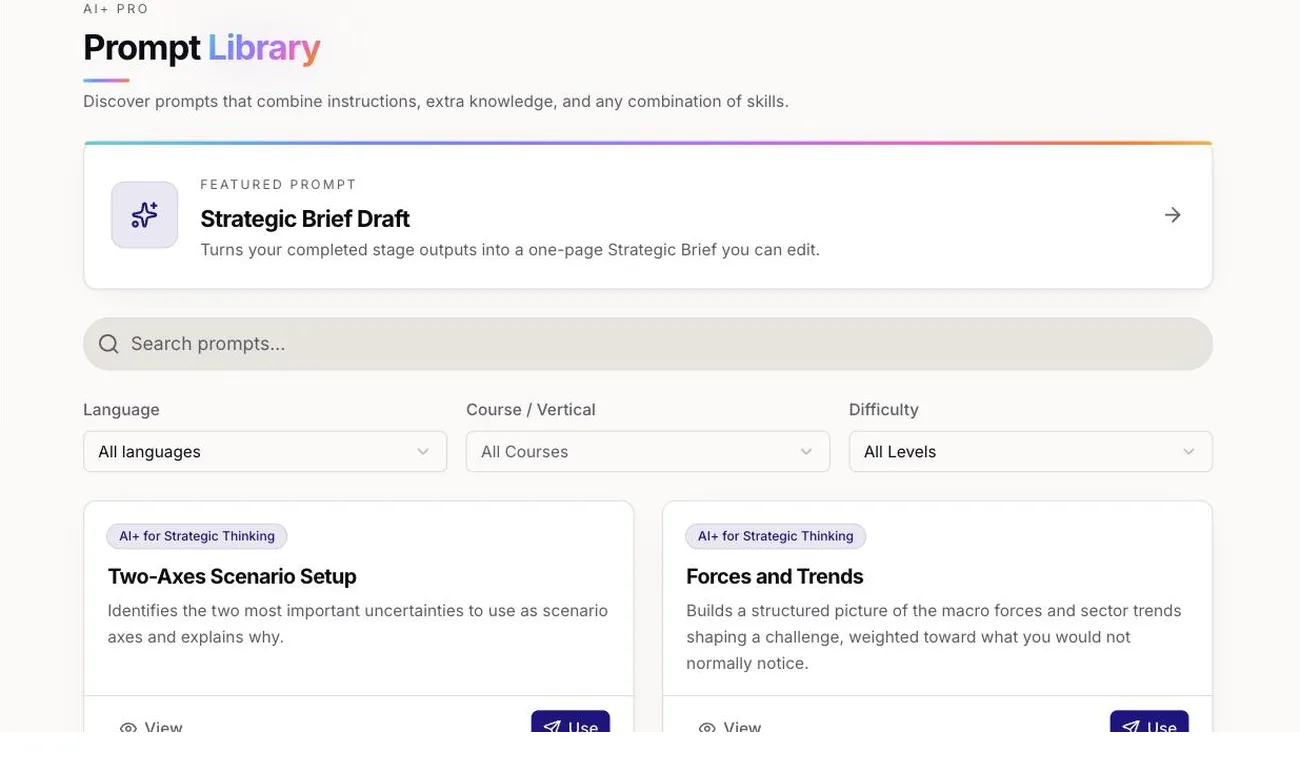
Knowledge library
Keep course material in a library for your university
Add readings, policies and guides to a library that belongs to your university. Only your members can use it.
- Scoped to your university, never shared with other organizations
- Readings, policies and guides in one place
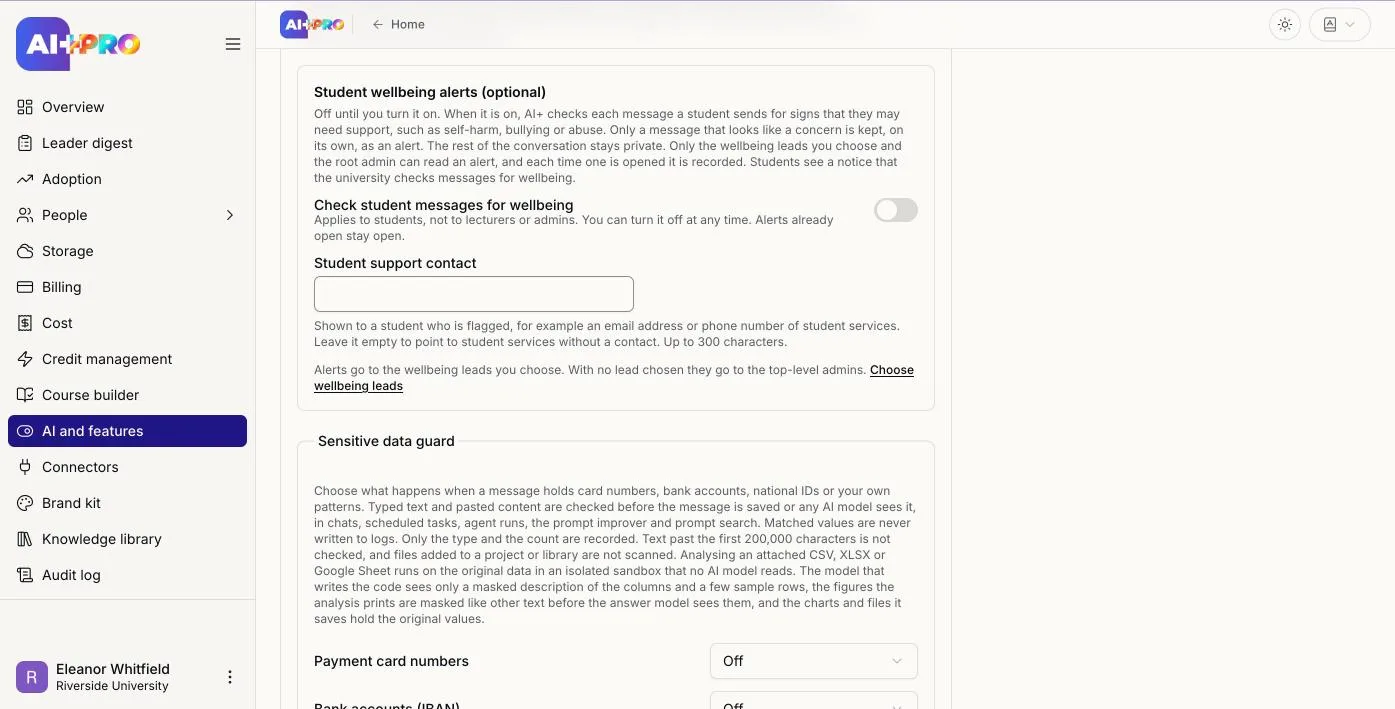
Student wellbeing
Add wellbeing alerts if you want them
Student wellbeing alerts stay off until your university turns them on. When they are on, a worrying message sends an alert to the contact you choose, and the student sees where to find support.
- Off unless your university turns them on
- You choose the support contact
- Students see a notice that alerts are on
From first login to a supported course
Set up courses
Add faculties, departments and courses, and invite lecturers.
Set the rules
Choose models, tools and an AI-use level for each course.
Assign work
Give students a course or an assignment with a due date.
Review and report
Lecturers grade from one inbox. Finance sees spend by department.
Example setup for a faculty.
Built for university data
- SAML single sign-on, from the Growth edition
- Audit log of admin changes
- Zero-retention models, available as an option
- Data residency agreed in your deployment
AI can be wrong. Teach students to check answers, and keep lecturers in the loop. When you restrict the university to zero-retention models, web search, deep research and voice are off. Review deployment options
Questions before you begin
How does AI+ Pro support academic integrity?
Lecturers set the AI rules for each course and an AI-use level for each assignment, and the server enforces them. Students can attach an AI-use statement and the chats they choose to show. AI+ Pro does not run an AI-writing detector.
Do AI providers keep student data?
Your admins decide. You can use every model, or restrict the university to zero-retention models. In that mode every request asks the provider not to keep or train on the content, and models that cannot honour that are not offered. Web search, deep research and voice are off in that mode. Our privacy policy lists every provider.
Are students monitored for wellbeing?
Not unless your university turns it on. Student wellbeing alerts are optional. When they are on, students see a notice, and the contact you choose gets an alert. An automated check screens each message and can miss things, so it supports your staff and does not replace them.
Does it connect to our LMS?
Not yet. AI+ Pro has no LMS or LTI integration today. Lecturers and students sign in to AI+ Pro directly, with single sign-on from the Growth edition. Tell us which LMS you use when you contact us.
Where is our data processed?
AI+ Pro uses cloud providers in more than one region and is not hosted only in Singapore. Our privacy policy lists each provider and region. For a residency requirement, we can scope a deployment in your own cloud account and an agreed region.
What does it cost?
Pricing depends on the size of your university and the edition you choose. Contact us and we will scope it with you.



Start with one class or one faculty.
Talk to us about a pilot with one class, year group, faculty or department.
Talk to us about education